 The B2B digital solutions specialist
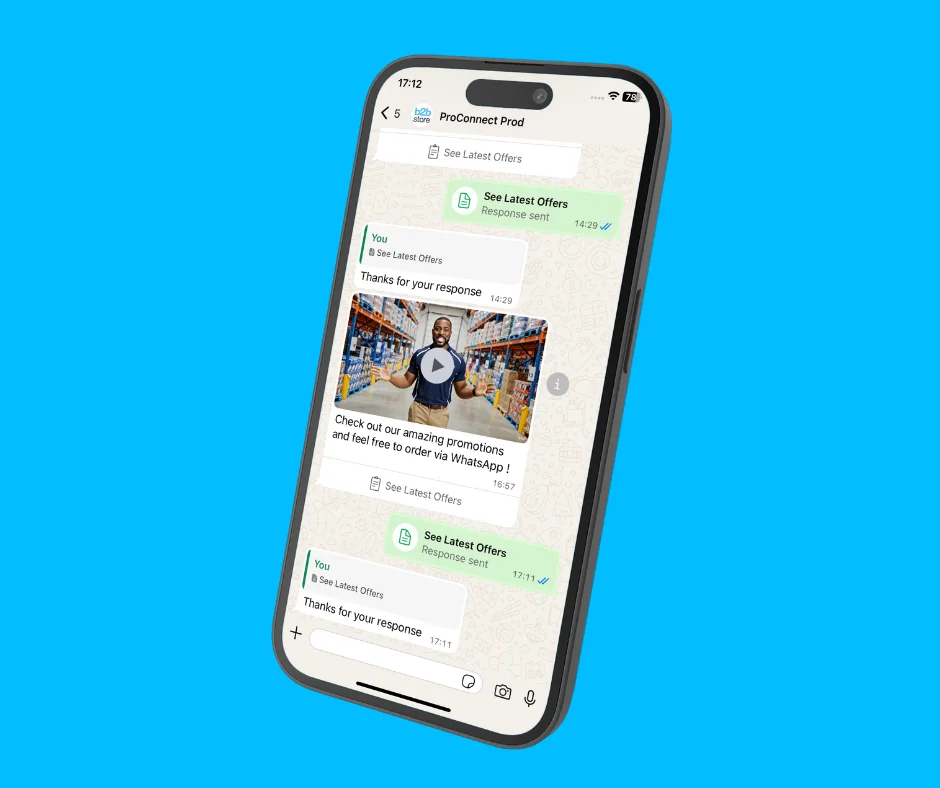
Nothing quite compares to the impact WhatsApp Business API can have on your business. From tapping into WhatsApp’s unrivalled engagement figures in a super-quick time to influencing B2B buying decisions, it stands well above other communication tools.
Yet many users have yet to fully explore the power of its WhatsApp Flows technology, which allows businesses to send interactive WhatsApp messages that take the messaging experience to another level entirely.
Among the range of things an interactive WhatsApp message can offer, arguably the one with the biggest potential impact is the ability to generate in-message orders, without asking a customer to leave the app.
Done correctly, customers can receive messages that allow them to browse products, select quantities, review order total and confirm a purchase within minutes. The entire messaging journey happens in WhatsApp, creating a faster and more intuitive experience.
Need further proof? Here’s an example of how it works.
Step 1 – Tap the call to action in a WhatsApp message
In this instance, tapping ‘see latest offers’ launches the interactive WhatsApp message screen.
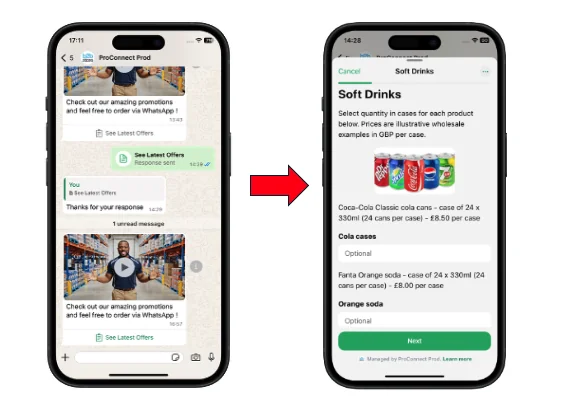
Step 2 – Check out what’s available to order
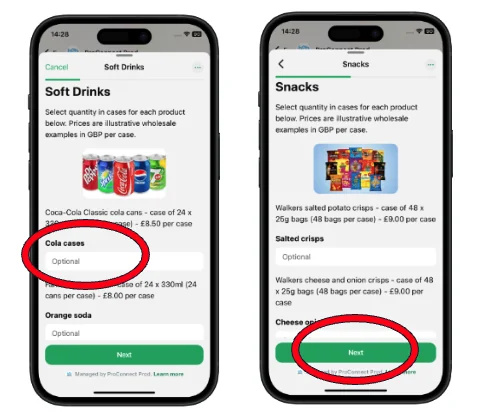
Browse through pages to view product listings that show information, prices and an ability to enter order quantities into the text box. Tapping ‘next’ takes a customer to the next page.
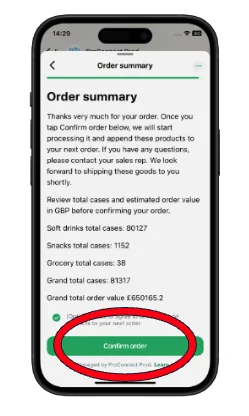
Step 3 – View your order summary
Totals are automatically calculated based on the quantities of products entered in the previous pages. A full total is summarised at the end of the flow, offering a ‘confirm order’ to make the purchase.
Step 4 – Receive confirmation
A customer is taken back to the initial WhatsApp chat screen and will receive a message to confirm that their order has been place.
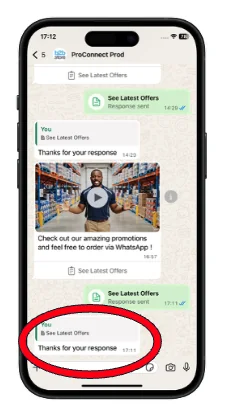
It’s really that easy. And with our WhatsApp Business API platform, ProConnect, anybody can create a WhatsApp Flow message like this themselves without the need for any technical support – all it takes is a few clicks and it’s ready to send.
For more information on generating in-message WhatsApp orders or how ProConnect can help you, drop us an email at hello@b2b.store

Offices 13 B & C, Innovation Centre, Warwick CV34 6UW, UK
Email: hello@b2b.store • Tel: +44 (0)1926 298867
© 2026 B2B Store • Company No. 03956929